
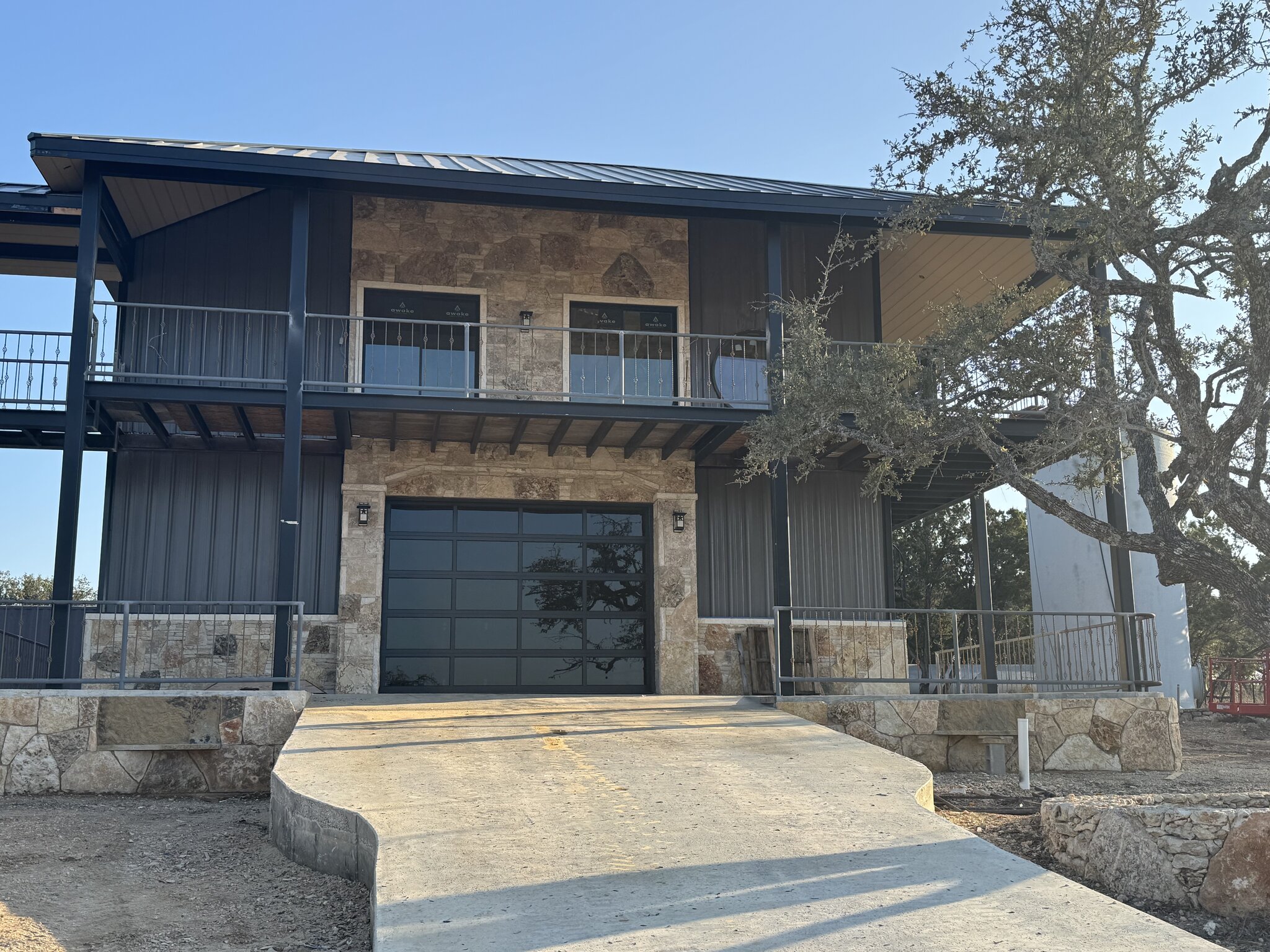
A 3D rendering before building turns a flat set of plans into a picture you can actually read, so you catch layout and finish problems while they are still cheap to fix. Changing a wall on screen costs almost nothing. Moving that same wall after the slab is poured turns into a change order. Seeing the design first is how owners decide with confidence.
What does a 3D rendering before building actually show you?
Most people cannot read a 2D floor plan and picture the finished room, and that gap is where expensive surprises hide. A 3D rendering shows the design as a realistic image: ceiling heights, window placement, how light falls, how the kitchen connects to the living space, and how finishes look together. Contractors who use 3D modeling rate “better multiparty communication from 3D visualization” highly, with roughly 80% calling it a strong driver of project value, as reported by Dodge Data & Analytics (2012).
That communication piece matters more than it sounds. When the owner, the builder, and the designer all look at the same image, they are talking about the same house. Nobody is guessing. You see that the island is too close to the range, or that the front windows are smaller than you imagined, before any of it gets framed.
A rendering also helps you commit to finishes. Flooring, cabinet color, countertop, and trim read very differently in real space than they do on a sample chip. Walking through the design on screen lets you settle those choices early, when a change is a few clicks instead of a restocking fee and a delayed delivery.
Why does catching problems early save the most money?
The single best argument for visualizing first comes from the MacLeamy curve, a well-known design concept showing that your ability to influence cost and function is highest at the very start of a project, while the cost of making changes climbs steadily the further you go. The idea, credited to architect Patrick MacLeamy, is documented at danieldavis.com (2004). Shift the hard decisions forward, and costly change orders become cheap early choices.

Think about what a change costs at each stage. Moving a doorway during design is a revised drawing. Moving it after framing means tearing out studs, re-running wiring, patching, and re-inspecting. Moving it after drywall and paint means doing all of that plus redoing finished work. The decision is identical. The price tag is not.
This is why a 3D rendering earns its keep before construction starts. It pulls the questions an owner would normally answer mid-build, when crews are standing by and materials are ordered, into the planning stage, where answering them costs time and thought instead of demolition and rework. For a custom home or a ground-up commercial build, that front-loaded clarity is the whole point.
It also protects your schedule. Every mid-build change ripples outward: a delayed cabinet order pushes the countertop, which pushes the backsplash, which pushes the final inspection. Deciding up front keeps the sequence intact, and a build that keeps its sequence is a build that finishes on time.
How much does rework really cost a project?
Rework is one of the quietest budget killers in construction, and the numbers are not small. The Construction Industry Institute reports that rework typically runs between 2% and 20% of a project’s total contract amount. On a serious custom home or commercial build, even the low end of that range is real money that buys you nothing new. It only undoes and redoes work you already paid for once.
A lot of that waste traces back to poor coordination between the people who design and the people who build. The National Institute of Standards and Technology estimated that inadequate interoperability, basically poor information sharing across a project, cost the U.S. capital-facilities industry about $15.8 billion a year (NIST GCR 04-867, 2004).
Here is the part owners should sit with. Of that $15.8 billion, NIST found that owners and operators bore roughly $10.6 billion, close to two-thirds of the total. The owner pays for downstream coordination problems, not the software vendor and not the spec sheet. That is the strongest reason to invest a little upfront in seeing the design clearly: you are the one holding the bill when things get missed.
None of this means a rendering eliminates rework. It does not. But contractors consistently name reduced errors and reduced rework as the top benefits of working in 3D, again as reported by Dodge Data & Analytics (2012). Seeing it first is how you catch the obvious misses before they become field problems.
Where a rendering helps, and where it stops
Let’s be honest about what a 3D rendering is and is not, because overselling it does no one any favors. A rendering is a visualization and design-coordination tool. It is excellent for layout, proportion, sightlines, finishes, and shared understanding among everyone involved. It is how you decide, with your own eyes, whether the design is the one you want to live in or run a business out of. It is just as useful on a renovation, where seeing a new layout inside the old shell helps settle whether to remodel or rebuild an older home.
What a rendering is not is full building-information modeling with automated clash detection, and it is not stamped engineering. It will not tell you that a duct collides with a beam down to the inch, and it does not replace the structural and permitting work that licensed professionals handle. We keep that line clear on purpose. A rendering helps you make confident design decisions; it does not certify the build.
That honest framing actually makes the case stronger. You do not need clash detection to catch the problems that cause most owner change orders. Those are layout and finish decisions: a room that feels too tight, a window in the wrong spot, a finish that clashes. Those you can see in a rendering, and those are exactly the ones that get expensive once they are built.
How Iron C Construction uses 3D renderings before you build
At Iron C Construction, we treat the rendering as a decision tool, not a sales gimmick. Founded in Wimberley in 2020 by Robert Castro, we build custom homes and ground-up commercial projects across the Central Texas Hill Country, and we have learned that the cheapest time to change a build is before the slab is poured. Most contractors agree the math works out: about 74% of U.S. contractors report a positive return on 3D modeling investment, as reported by Dodge Data & Analytics (2012).
In practice, we walk owners through the design before anyone breaks ground. You see the spaces, the light, and the finishes together, and you tell us what feels right and what does not. We adjust on screen. By the time we order materials and schedule crews, the big decisions are settled and documented, which keeps the build moving and keeps surprises off your invoice.
On a Hill Country lot, that confidence is worth even more. Sloped sites, view corridors, and the way a home sits on acreage all read clearly in a rendering, so you are deciding how the finished project relates to the land, not hoping it works out. That is what we mean by doing things the right way: settle it before it is built.
If you are planning a custom home or a commercial project and want to decide with that kind of clarity, our 3D renderings service is the place to start. See the design, make your changes while they are still cheap, and break ground knowing exactly what you are getting. Reach out to Iron C Construction to talk through your project and put a rendering in front of you before the first decision gets expensive.